Supporting how digital asset teams actually work

From Import to Access, All in One System

  • Centralize Collection Media in One System
    Manage images, video, audio, and document files in a structured environment that supports long-term organization, discoverability, and control.
  • Connect Digital Assets to Object Records
    Link media directly to collections data, so teams can view assets in context alongside object information, provenance, exhibitions, and rights-related documentation.
  • Improve Metadata Consistency and Discoverability
    Structured metadata and controlled workflows help digital asset managers maintain consistent naming, categorization, and retrieval across large and growing media libraries.
  • Support Rights, Usage, and Access Management
    Maintain clear oversight of media usage, permissions, and access requirements to help support internal governance and public-facing publishing workflows.
  • Enable Collaboration Across Museum Departments
    Shared access to connected media and collections records helps registrars, curators, conservators, and marketing teams work from the same trusted information.
Relied on by teams managing high-volume museum media

Helping Digital Asset Managers Bring Order and Access at Scale

For more than 40 years, Gallery Systems has partnered with museums to build systems that support the evolving needs of collections and digital asset management. The TMS Suite helps digital asset managers organize growing media libraries, connect digital files to collection records, and support accurate metadata, rights oversight, and cross-departmental access. By bringing collections data and media together, museums can reduce silos, improve discoverability, and create a stronger foundation for internal workflows and public engagement.
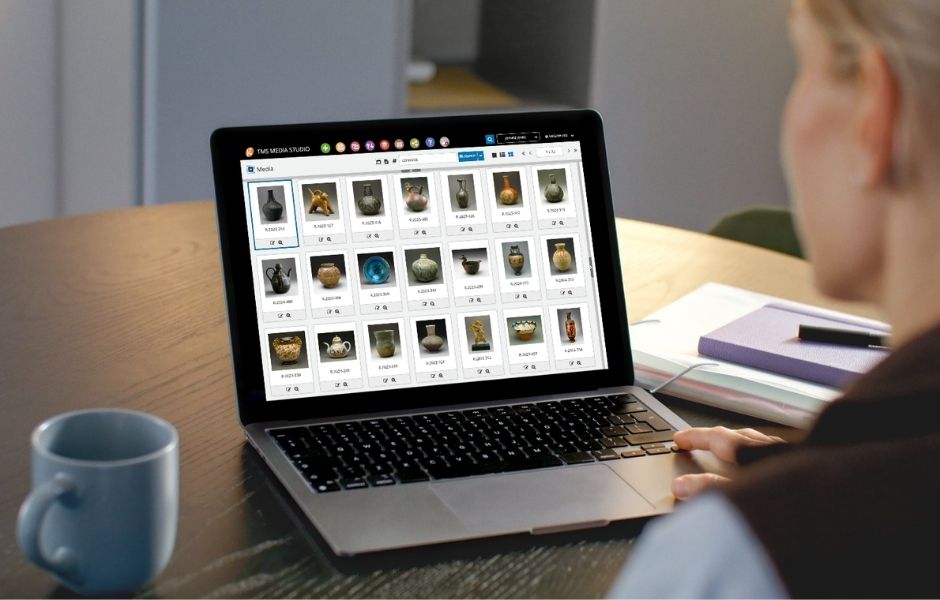
Collections staff using TMS Media Studio on a laptop to browse and manage a digital asset library of collection objects.
A unified approach to collections and media

Linking Digital Assets with Collections
Data and Public Access

The TMS Suite provides museums with connected applications for collections management, digital asset management, conservation documentation, and online publishing. Together, these tools help institutions manage media, maintain accurate records, and share cultural heritage with confidence.
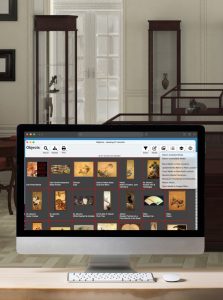
TMS Media Studio on a computer in a museum

TMS Media Studio

Digital asset management software for organizing, linking, and delivering collection media with structured metadata and controlled access.

mockup of emuseum on a computer in a museum office

eMuseum

Online collections platform for publishing and sharing collection data, images, and media with broad audiences, delivering accessible and engaging digital experiences.
museum collection manager walking through an exhibition with coworker.

TMS Suite

Connected tools that help museums manage collections data, digital assets, and cross-departmental workflows within one integrated ecosystem.
Visitor photographing paintings in a gallery, representing the media assets institutions capture and manage with Gallery Systems.
Supporting Smarter Collection Management

Articles, Insights & Case Studies

Why Galleries Can No Longer Wait to Modernize Their Gallery Management Software

The Art World’s Technology Reckoning Only 19% of galleries call themselves technology leaders, yet 43% plan to invest more in online sales this year, according to Artsy’s Art Market…

Collective Conversations with Chad Petrovay

Professional Services Specialist, Gallery Systems With a museum career spanning multiple institutions and over a decade partnering with Gallery Systems clients, Chad brings a rare combination of…

One Record for Every Team: Why Integration is the Future of Collections Management

The Hidden Cost of Disconnected Collection Management Software Many institutions manage their collections, exhibitions, conservation records, rights and reproductions, and digital assets across a…

Questions About Collection Management Software?

Find answers to common questions about the collection management software for digital asset managers.

What is digital asset management software for museums?

Digital asset management software for museums helps institutions organize, store, retrieve, and manage digital files such as collection images, video, audio, and documents within a structured system.

Why do museums need digital asset management software?

Museums manage large and growing volumes of digital media. Digital asset management software helps teams maintain organization, improve discoverability, support metadata consistency, and connect media to collection records.

What types of assets can digital asset managers manage in the system?

Digital asset managers can manage images, videos, audio files, PDFs, and other collection-related media used for documentation, research, publications, exhibitions, and online access.

Can digital asset management software connect media to collection records?

Yes. Systems like TMS Media Studio and the TMS Suite connect digital assets directly to object records, helping museums manage media within the full context of the collection.

Can museums use digital asset management software to support rights and access control?

Yes. Many digital asset management platforms help museums manage permissions, usage information, and access controls so media can be governed and shared appropriately.

Can digital asset management software support online publishing?

Yes. Many museums use connected systems to prepare and deliver approved media and collections information for websites, portals, and public-facing digital initiatives.

How long does it take to implement digital asset management software?

Implementation timelines vary depending on media volume, metadata quality, and institutional requirements. Many museums begin using the system within several months. For a more tailored timeline, please contact the team.
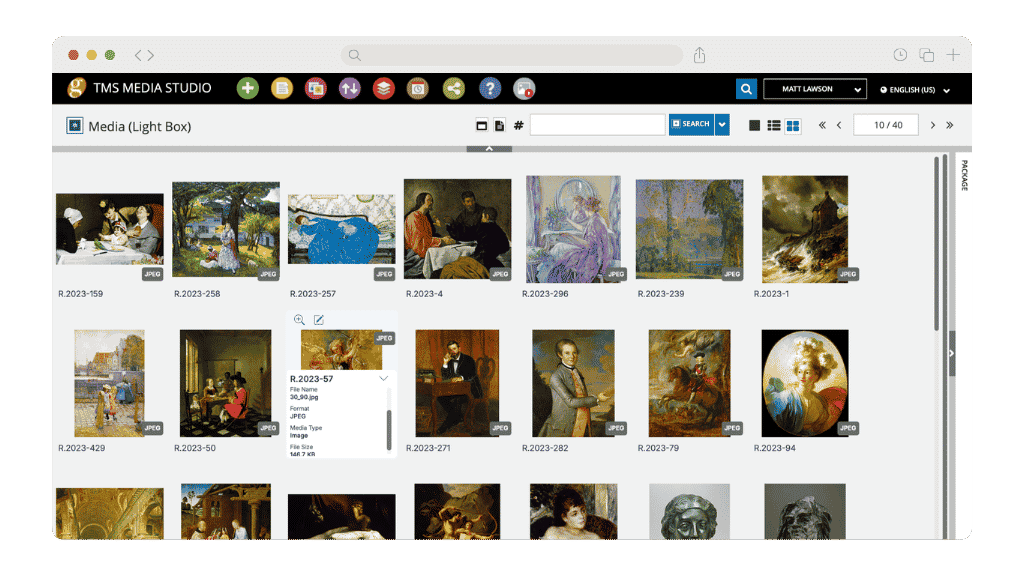

TMS Media Studio light box view displaying a grid of collection images with file metadata and format details visible in a browser window