Designed for the Complex Needs of Collections Media
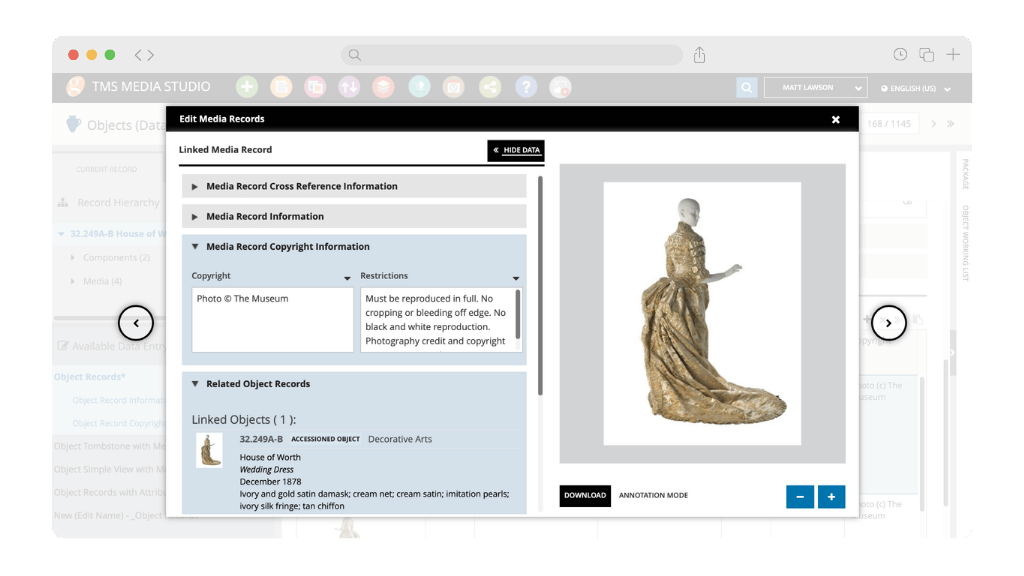
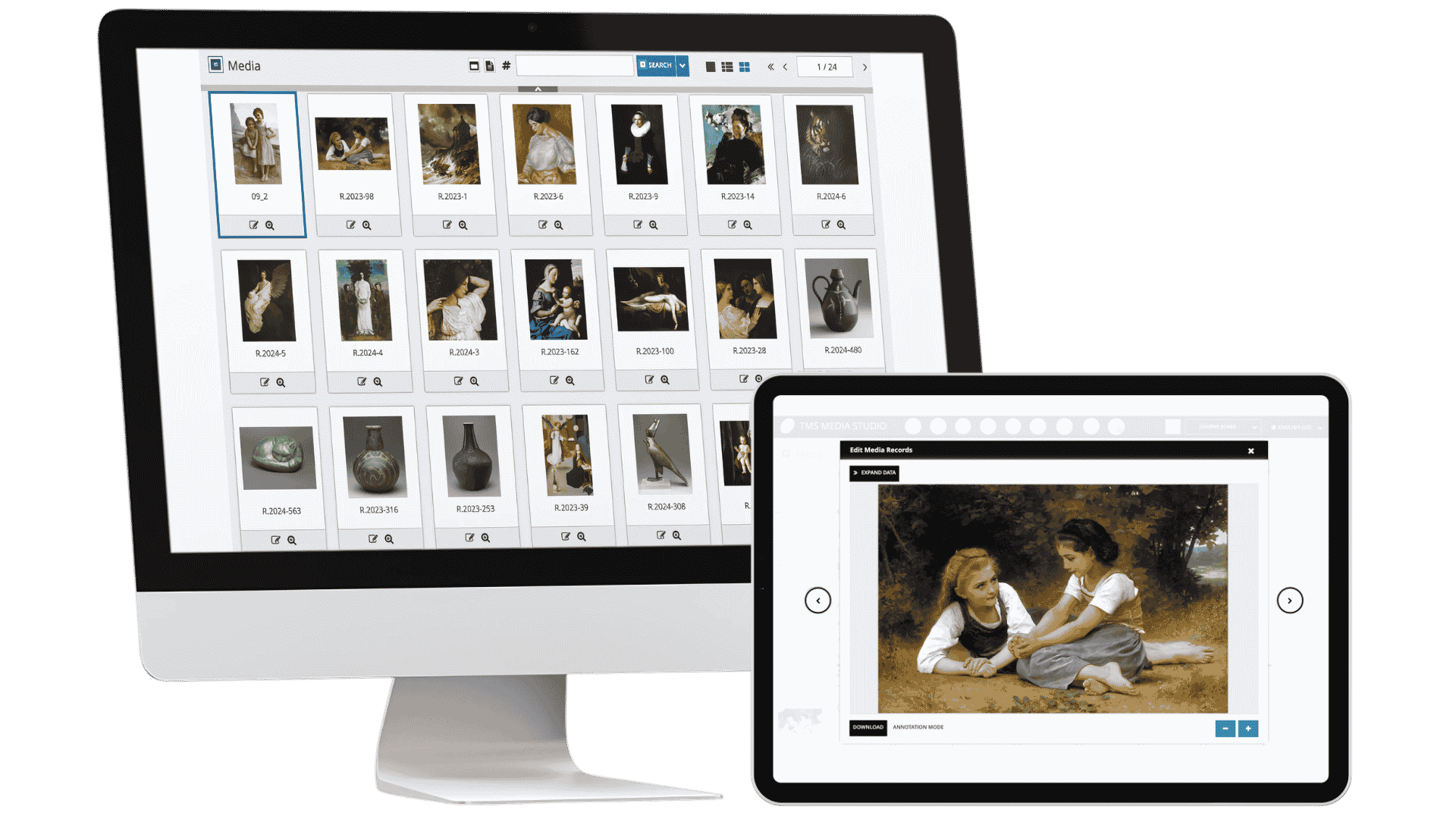
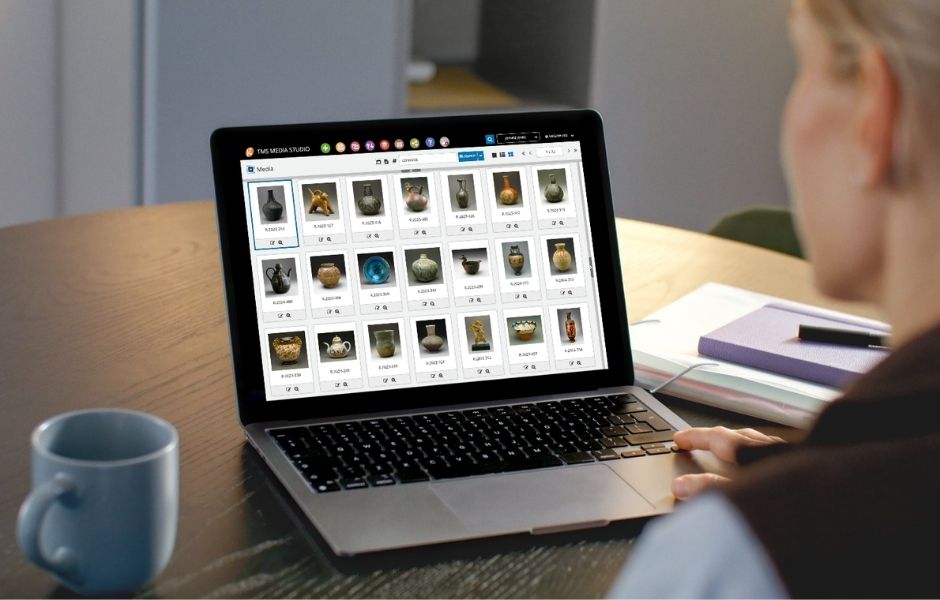
TMS Media Studio is the digital asset management platform of the TMS Suite, fully integrated with our collections management system to help you keep your media assets organized and seamlessly connected to your collections data. Centralize, manage, and link your digital assets directly to your records—all within one database.
-
Web-based DAMS designed specifically for museums and cultural institutions
-
Seamless integration with TMS Collections for synchronized media and collections data
-
Batch importing, drag-and-drop uploads, and powerful asset organization tools
-
Advanced rights and reproductions management to support compliance and governance
-
Secure role-based access control to protect and manage digital assets
Digital Asset Management Built for Museums
-
Purpose-Built for Cultural CollectionsDesigned specifically for managing museum media, including photography, video, and audio associated with collection objects, exhibitions, and institutional projects.
-
Seamless Connection with TMS CollectionsShares the same database as TMS Collections, ensuring media assets and object records remain synchronized without duplicate entry.
-
One Centralized Media RepositoryOrganize digital assets, track metadata, and manage media files within a single database accessible across departments.
-
Designed for CollaborationSupports collections teams, marketing, publications, conservation, and digital asset managers with shared access to trusted media records.
-
Efficient Workflows at ScaleBatch importing, metadata management, and customizable workflows streamline media management for large and growing digital collections.
Collaborative Tools for Managing Digital Assets
Simplify your digital asset management with efficient organization, seamless integration, and collaborative tools for sharing media across teams
Efficient Media Import and Organization

Streamline Ingest and Bulk Management
Connected Media and Collections Data
Seamless Asset-to-Collection Linking
Collaborative Media Management
Shared Workflows for Cross-Team Coordination
Integrated Media Capture for Collections Documentation
TMS MediaCapture is the mobile companion to TMS Media Studio, designed for capturing and uploading collection images directly from your phone or tablet. It eliminates manual transfers by instantly linking photos to the correct object record in real time.
Built for work on the move, it supports on-the-go photography in storage, galleries, and field settings, with seamless integration into the TMS Suite and compatibility across iOS and Android devices.
Integrated Digital Asset Management for Collections
TMS Media Studio works seamlessly within the TMS Suite, ensuring that media assets remain connected to collections data and institutional workflows. As part of the integrated platform, it connects with TMS Collections for collections management, eMuseum for publishing collections online, and TMS Conservation Studio for conservation documentation. Together, these applications enable institutions to manage media assets, collections records, conservation documentation, and digital publishing within one connected ecosystem.
Articles, Insights & Case Studies
Collective Conversations with Chad Petrovay
Professional Services Specialist, Gallery Systems With a museum career spanning multiple institutions and over a decade partnering with Gallery Systems clients, Chad brings a rare combination of…
One Record for Every Team: Why Integration is the Future of Collections Management
The Hidden Cost of Disconnected Collection Management Software Many institutions manage their collections, exhibitions, conservation records, rights and reproductions, and digital assets across a…
The National Art Museum of Mexico City Case Study
The National Art Museum of Mexico City is dedicated to ensuring that visitors can experience its collections both in person and through digital platforms. Spanning the 16th through 20th…
Aberdeen Archives, Gallery & Museums Case Study
At the center of this operation is Thomas Megaw, Lead Curator (Collections Management), who oversees documentation workflows and collection access across the city’s public-facing and purpose-built…
Collective Conversations with Chad Petrovay
Professional Services Specialist, Gallery Systems With a museum career spanning multiple institutions and over a decade partnering with Gallery Systems clients, Chad brings a rare combination of…
One Record for Every Team: Why Integration is the Future of Collections Management
The Hidden Cost of Disconnected Collection Management Software Many institutions manage their collections, exhibitions, conservation records, rights and reproductions, and digital assets across a…
Answers
What is TMS Media Studio?
TMS Media Studio is a digital asset management system designed specifically for museums and cultural institutions. It helps organizations organize, manage, and connect digital media assets to collections records and institutional workflows.
Why do museums need a DAMS?
Museums generate and manage large volumes of digital media, including object photography, exhibition materials, audio, video, and documentation. A digital asset management system (DAMS) helps institutions organize, preserve, and control access to these assets while linking them directly to collections data. This ensures media files remain searchable, properly documented, and available to support research, exhibitions, publications, and public engagement.
How does TMS Media Studio integrate with TMS Collections?
TMS Media Studio shares its database with TMS Collections. Updates made in either system are reflected in the other, ensuring media assets and collections records remain synchronized without duplicate entry.
Who uses TMS Media Studio within an institution?
TMS Media Studio supports a wide range of departments, including collections management, conservation, digital asset teams, marketing, publications, and education. These teams rely on shared access to media assets for research, exhibitions, and public engagement.
Can I use TMS Media Studio as a stand-alone DAMS?
No. TMS Media Studio is designed to work as part of the TMS Suite and shares its database with TMS Collections. This integration ensures that digital assets remain directly connected to collections records, eliminating duplicate entry and supporting consistent, accurate data across systems.
What types of digital assets can be managed in TMS Media Studio?
TMS Media Studio can manage a wide range of media types including images, 3D images, video, audio files, and related documentation. These assets can be linked to collection records and organized with metadata and structured workflows.
Can TMS Media Studio support media workflows across departments?
Yes. TMS Media Studio supports workflows such as photography requests, media approvals, and exhibition preparation through configurable project and workflow tools designed for institutional collaboration.
Is TMS Media Studio web-based?
Yes. TMS Media Studio is a secure, web-based platform that enables authorized users to access and manage media assets from any location using a browser.
What is the price of TMS Media Studio?
Pricing for TMS Media Studio varies depending on the needs of your institution, including deployment requirements, number of users, amount of stored data, and implementation scope. To receive a tailored quote aligned with your organization’s requirements, we recommend submitting an inquiry through our contact form.