Collection Management System Comparison: Types & What to Look For

Not every collection management system is built the same way, and the right choice depends less on brand names than on a handful of structural decisions: how it’s hosted, whether it’s one integrated platform or several connected tools, and whether it’s designed for your type of institution. This guide walks through those decisions, so you know what you’re comparing before you get into vendor-specific conversations.

Cloud-Based vs. On-Premise Systems

Cloud-based systems are hosted off-site and accessed through a browser, which generally means lower internal IT overhead, easier remote access for staff working across sites, and updates handled by the vendor rather than your own team. On-premise systems run on servers your institution controls, which can matter for organizations with strict data residency policies or existing IT infrastructure they want to use. Neither model is inherently better; it depends on your institution’s IT capacity and policy requirements. TMS Collections, for example, supports both, so institutions aren’t forced to choose the deployment model before they’ve evaluated the software itself. For institutions that opt for Gallery Systems’ Managed Hosting, that includes nightly backups, scheduled security updates, continuous database health monitoring, and secure, access-controlled protocols that keep collection data available only to authorised users — so choosing cloud hosting doesn’t mean handing over control of your data’s safety.


All-in-One Suites vs. Point Solutions

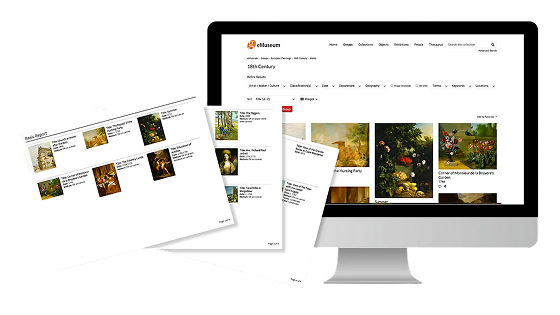
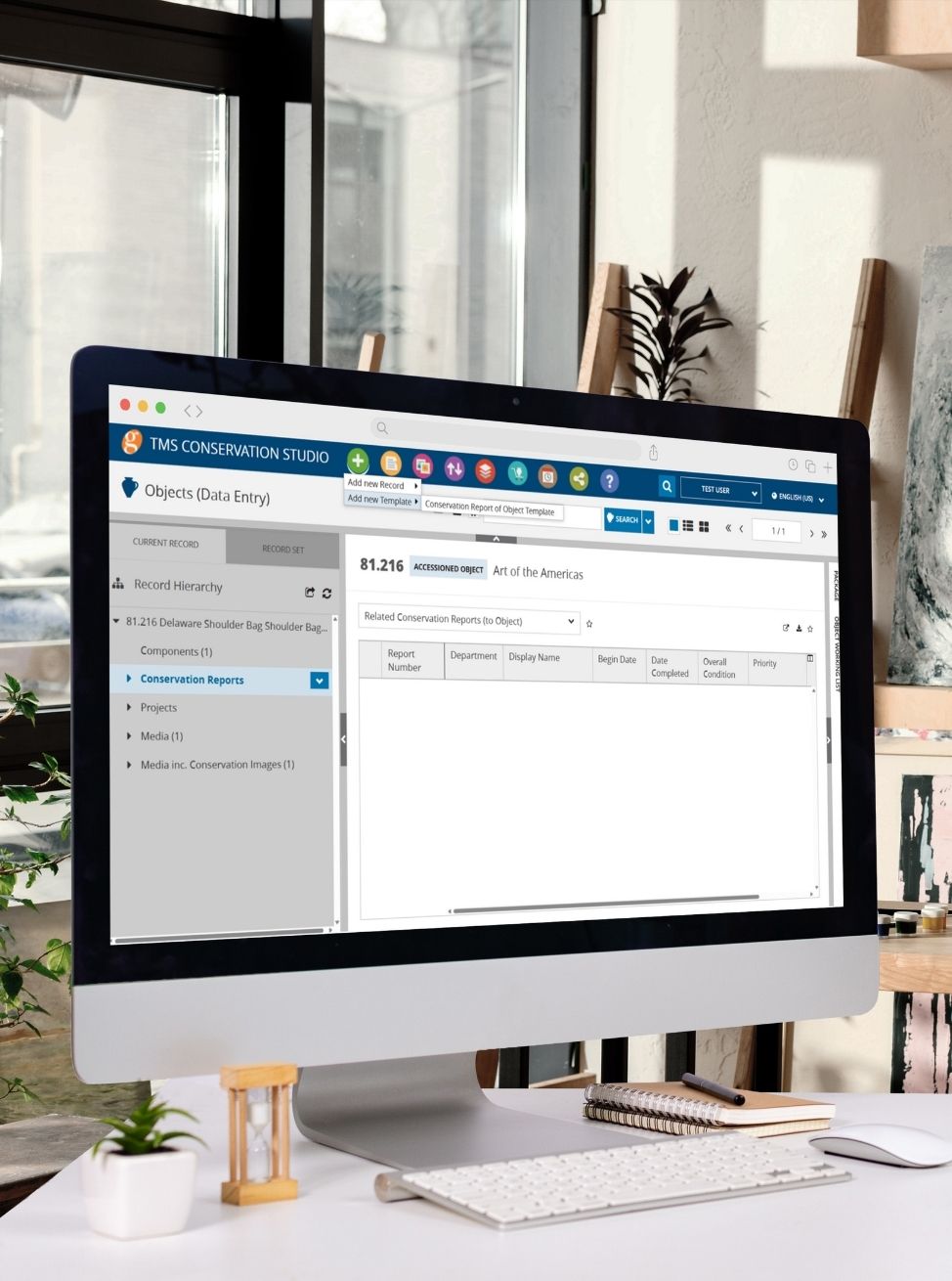
This is often the bigger decision. A point solution approach means using separate, specialized tools for cataloguing, online publishing, conservation documentation, and digital asset management, then connecting them (or not) through integrations. It can offer flexibility, but it also means more vendors to manage, more places for data to fall out of sync, and more integration work overtime. An all-in-one suite keeps those functions on one shared data source. TMS Suite is structured this way: TMS Collections handles cataloguing, acquisitions, and loans; eMuseum handles online publishing of the same underlying records; TMS Conservation Studio brings treatment records and scientific data into the same system; and TMS Media Studio manages digital assets and connects them back to the object record. Because everything references the same collection data, there’s no separate sync step between, say, updating a record and having that update reflected on your public-facing online collection. You can see how the pieces fit together on the TMS Suite overview.

Built for Museums vs. Galleries vs. Private Collections

The requirements for a natural history museum, a commercial gallery, and a private collector overlap in places but diverge in others: loan logistics and grant reporting matter enormously to museums; consignment tracking and client relationships matter more to galleries; insurance documentation and provenance often matter most to private collectors. Rather than treating “collection management system” as one undifferentiated category, it’s worth starting from your institution type. Our museum collections management hub, gallery management software page, and private and special collections management page each break down requirements specific to that audience.

Comparison at a Glance

These are two separate decisions. First, how the system is hosted:

DimensionCloud-HostedOn-Premise
IT overheadLowerHigher
Best suited forInstitutions with limited IT staffInstitutions with strict data policies

Second, how functionality is organized:

DimensionAll-in-One SuitePoint Solutions
IT overheadDepends on hostingHigher (multiple vendors)
Data consistencyHigh — shared data sourceLower — requires integration
Best suited forInstitutions wanting one system of recordInstitutions with highly specialized needs per function

Selecting the right hosting approach is essential to ensuring the performance, security, and long-term success of your CMS. Download this whitepaper to explore the key differences between managed hosting and self-hosting and learn how to determine the best option for your institution’s technical capacity, resources, and strategic goals.

Ready to Build Your Shortlist?

Once you’ve settled on the structural questions above, the next step is running an organized selection process. Our guide on 5 Tips for Finding and Selecting the Right Collections Management System walks through building a selection team and defining your must-haves, and How to Write an RFP for Your New Collections Management System covers running a formal RFP process if your institution requires one. When you’re ready to see an all-in-one system in action, request a demo of TMS Suite.

Supporting Smarter Collection Management

Articles, Insights & Case Studies

Why Galleries Can No Longer Wait to Modernize Their Gallery Management Software

The Art World’s Technology Reckoning Only 19% of galleries call themselves technology leaders, yet 43% plan to invest more in online sales this year, according to Artsy’s Art Market…

Collective Conversations with Chad Petrovay

Professional Services Specialist, Gallery Systems With a museum career spanning multiple institutions and over a decade partnering with Gallery Systems clients, Chad brings a rare combination of…

One Record for Every Team: Why Integration is the Future of Collections Management

The Hidden Cost of Disconnected Collection Management Software Many institutions manage their collections, exhibitions, conservation records, rights and reproductions, and digital assets across a…